.png)

What a Small Law Firm Can Automate in Matter Opening Without Touching Legal Judgment
Five documents repeat on every new file. Here is what a small law firm can automate in matter opening, and the line where legal judgment stays with the lawyer.
.png)

A small law firm can automate the clerical half of matter opening: the matter opening letter, the retainer and its e-signature, follow-up chasers, the certificate of financial disclosure request, and the closing letter. The lawyer keeps everything that needs judgment, including conflicts decisions, advice, strategy and what gets sent under the firm’s name.
Every new file at your firm starts the same way. Someone types the matter opening letter. Someone builds the retainer, sends it for signature, and then chases it. Someone emails the client a third time about the documents they promised last week. None of it is legal work, and all of it lands on the same desk.
This article covers law firm matter opening automation for small firms: which of those documents can run on their own, why the work tends to collapse onto one person, and where the line sits between clerical work and legal judgment. If you want the short version of how RunWell approaches this for small firms, the law firm automation page lays it out.
What does matter opening involve at a small law firm?
Matter opening at a small firm usually means five recurring documents: the matter opening letter, the retainer agreement and its e-signature, follow-up chasers for missing information, the certificate of financial disclosure on family law files, and the closing letter. Each one is small. Repeated by hand on every file, they fill the week.
The pattern is the same whether you open ten files a month or forty. The letter is mostly a template with a client name, a matter type and a fee arrangement dropped in. The retainer is a template too, with a few fields that change. The chasers are the same three emails with different dates.
What makes this work expensive is not any single document. It is the retyping. Client details get entered in the intake form, then typed again into the letter, then again into the retainer, then again into the practice management system. Every handoff is a chance for a wrong date or a misspelled name to make it into something the client signs.
Why is the intake coordinator a single point of failure?
At many small firms, every new file runs through one intake coordinator. She drafts the letters, sends the retainer, makes the first client call and knows which files are waiting on what. When she is sick, on vacation or leaves, matter opening slows or stops, because the process lives in her head and inbox.
It is an easy risk to miss. The work gets done, so it looks fine. Then the coordinator takes two weeks off and a lawyer spends evenings sending retainers.
Losing that person costs more than the gap. According to the Society for Human Resource Management, replacing an employee costs 50% to 200% of salary. A coordinator who carries the whole intake process is expensive to replace, and harder to replace well, because so little of what she does is written down.
Automation does not replace her. It takes the repeatable steps off her desk, so the process keeps running when she is out and her time goes to the client calls that need a person. The operational side of a small law practice is where RunWell starts for exactly this reason.
Which matter opening tasks can be automated?
The tasks that can be automated follow a template and a trigger: drafting the matter opening letter from intake data, sending the retainer for e-signature, chasing missing documents, requesting the certificate of financial disclosure, and drafting the closing letter. In the setup described here, a person approves each document before it goes out.
Here is how the five documents split.
| Document | What automation handles | What stays with the lawyer |
|---|---|---|
| Matter opening letter | Drafts the letter from intake data and queues it for review | Scope, fee terms and final approval |
| Retainer and e-signature | Fills the retainer and, once approved, sends it for signature and files the signed copy | The terms of the engagement and whether to take the matter |
| Follow-up chasers | Sends reminders from approved templates until the documents arrive | When a missing document changes the advice |
| Certificate of financial disclosure | Requests it, tracks it and flags what is still outstanding | Reviewing what the client discloses |
| Closing letter | Drafts the letter when a file is marked closed | What the letter says about the outcome |
In my view, the chasers are where the hours hide. According to the McKinsey Global Institute, knowledge workers spend roughly 28% of the workweek on email. A good share of an intake coordinator’s email is the same reminder sent again to a client who has not answered.
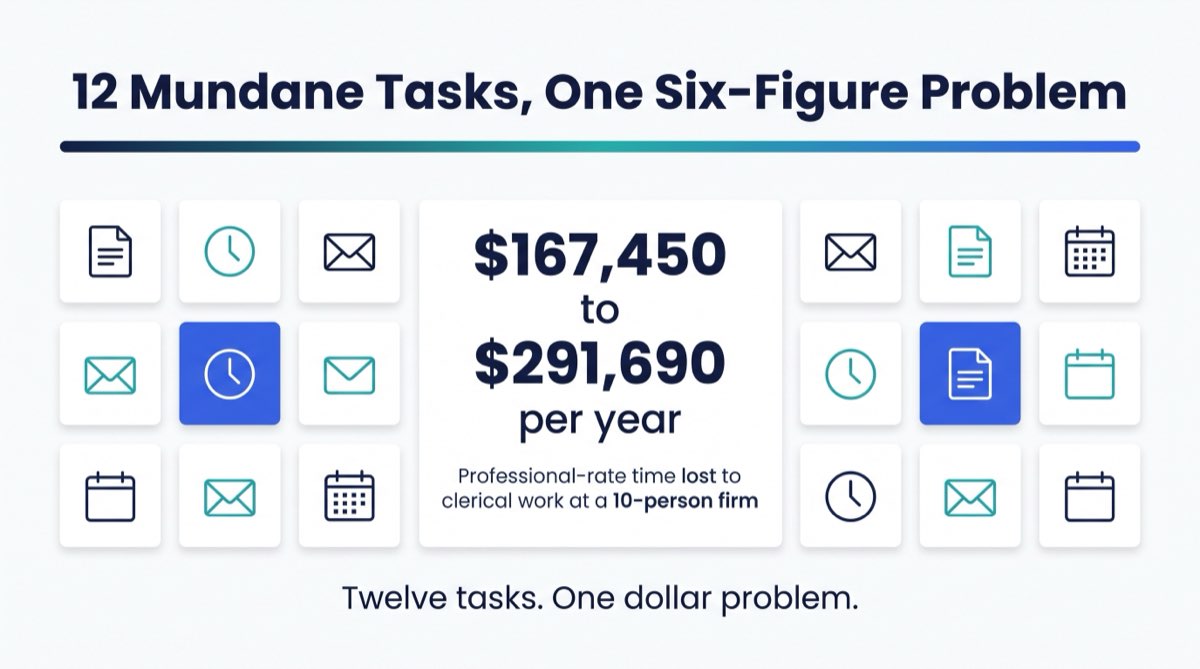
For a wider list of the low-judgment work AI handles well, the guide to 12 mundane tasks AI should do instead of your team covers it across professional firms.
What stays with the lawyer?
In the systems described here, anything that needs legal judgment stays with the lawyer: whether to take the matter, conflicts decisions, the advice, the case strategy, the client conversation and the final say on every document that leaves the firm. Automation prepares the first draft and does the chasing. A lawyer reviews and approves before anything is sent.
That boundary is the design rule, not an afterthought. I would not build a system that sends a retainer nobody looked at. A system that drafts the retainer, fills in what it knows, and puts it in front of a lawyer with one button to approve is a system that saves time without moving the decision.
I said it this way in an interview about what this work is for:
“This is not about job elimination. This is about removing the manual repetitive work so your team can work on things that actually increase your bottom line... They should retain the decision and the judgment, but they do not need to retain the busywork.”
The Law Society of Alberta’s Generative AI Playbook frames the review step this way:
“Treat any Gen AI output as a first draft only. Consider anything generated by Gen AI as being produced by a law student who requires supervision.”
Source: Law Society of Alberta, The Generative AI Playbook, first published January 4, 2024.
That is one regulator’s guidance for its own lawyers, quoted here to show how the review step is framed. It is not a summary of the rules where you practise.
This article describes how automation can respect the review steps a firm already has. It does not tell you what your professional obligations are. Your law society’s rules and your own policies decide that.
What did one family law firm’s Blueprint find?
One family law firm’s Blueprint mapped eight automations across matter opening, retainer e-signature and document chasing. That is a projection from the Blueprint, not a finished build. The firm has not built them yet, and RunWell has no completed law firm build to point to. We say so plainly.
What a Blueprint gives a firm is the whole intake process on one page, with each task named and priced in hours and dollars.
If a firm has a messy process, the Blueprint says that too. Automating a process that does not produce consistent results only makes the inconsistency faster. Sometimes the first fix is a cleaner template, not a build.
How should a small law firm start automating matter opening?
Start by mapping the process before building anything. Write down every step from first inquiry to signed retainer, who does it and how long it takes. Then pick the one document that repeats most and causes the most chasing. Often that is the retainer or the follow-up chasers.
Three things make the first automation stick:
- One trigger, one output. A new matter in your system produces one draft letter. Keep the first build that narrow.
- A human approval step. Every outgoing document waits at an approval step your firm defines, and a lawyer keeps the final say.
- A named owner. One person knows how it works and gets the alert when something fails.
If you are weighing whether to build this yourself, hire a freelancer or bring in a firm, the guide to vetting an automation agency walks through the questions to ask. The comparison of Zaps, workflow engines and AI agents helps you match the tool to the job.
The free RunWell Blueprint is the other way in. It takes about 1 to 3 hours on your own time, the results come back within 24 hours, and then we go through them together on a free results call of 30 minutes to an hour. If you want RunWell to build what it finds, the Engine is billed hourly and quoted after that call. More on how this works for firms like yours is on the RunWell law firms page.
Frequently Asked Questions
Can AI draft a matter opening letter for a lawyer to review?
It can produce a first draft. In the setup described here, a lawyer reviews and approves that draft before it is sent. The system fills in the client, matter and fee details from intake. The lawyer decides what the letter says and whether it goes out.
Does law firm matter opening automation replace the intake coordinator?
No. It takes the retyping, the reminders and the filing off her desk. She keeps the client calls and the judgment calls, and the process keeps running when she is away.
Which matter opening task should a small firm automate first?
Usually the follow-up chasers or the retainer e-signature. Both repeat on every file, both follow a template, and both are easy to check. Start with whichever one your team chases most.
How long does the RunWell Blueprint take?
About 1 to 3 hours to complete on your own time. Results arrive within 24 hours, followed by a free results call of 30 minutes to an hour.
This article is general information about operations and automation. It is not legal advice, and RunWell is not a law firm. It does not describe any lawyer’s professional obligations. Check with your law society and your own advisors before changing how client documents are prepared or sent.
Questions we get after this article


Want to see your firm's number?
10 questions. 3 minutes. A score out of 100 plus your top 3 operational gaps, with a dollar figure attached. Free. No email required to see the result.
Disclaimer. This article is for educational purposes only and does not constitute legal, accounting, tax, medical, or financial advice. References to specific compliance frameworks (ABA Model Rules, AICPA SSTS, SEC/FINRA, state bar rules) reflect the authors' and reviewers' interpretation as of the publish date and may not apply to your jurisdiction or specific facts. Consult your own licensed advisor before acting on anything written here. Statistics and case details have been anonymized; dollar figures reflect actual client outcomes as of the engagement date. RunWell is not a law firm, CPA firm, or registered investment advisor.